How I Built a Customizable QR Code Generator Using Next.js
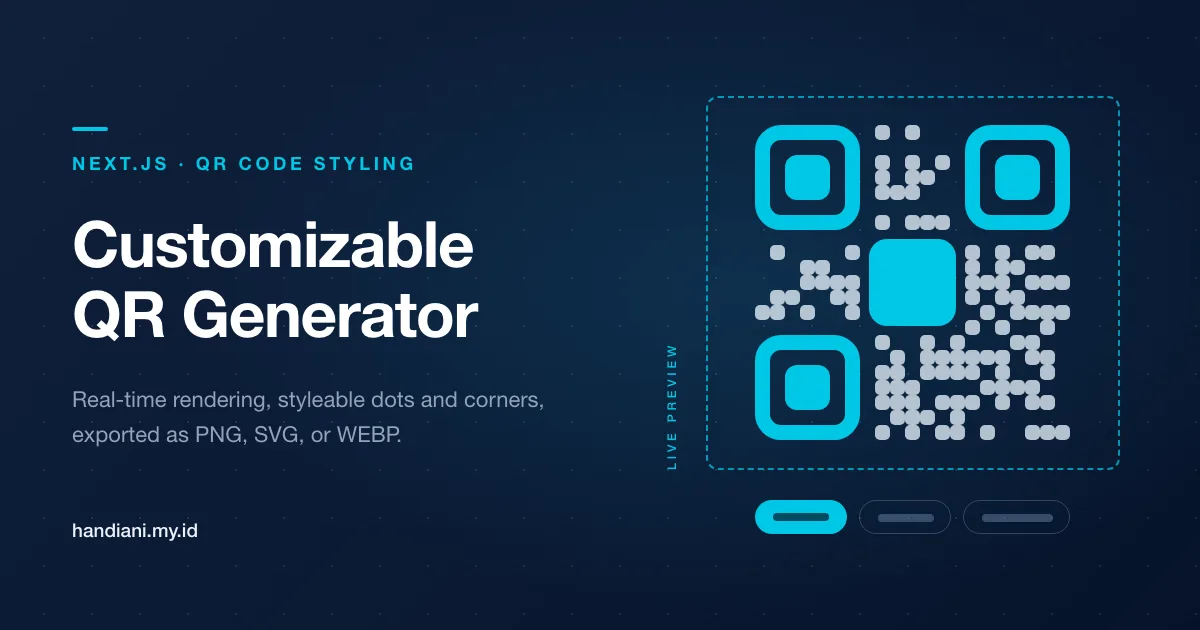
A Next.js app that renders QR codes as you type and lets you restyle every part — dots, corners, colors, an embedded logo — then export to PNG, JPEG, SVG, or WEBP.
Introduction
In today’s digital age, QR codes have become a powerful tool for sharing information quickly and seamlessly. Whether it’s a website link, event details, or product information, QR codes make data sharing effortless. Inspired by this convenience, I created a QR Code Generator app, hosted at gaweqr.my.id, that allows users to create and customize QR codes easily.
In this blog post, I’ll walk you through how I developed this project using Next.js and other modern tools. If you’re interested in building your own QR code generator or learning about my tech stack, read on!
Key Features of the QR Code Generator
- Real-Time QR Code Rendering: Users can input a URL or text and immediately see the corresponding QR code.
- Extensive Customization Options: Options include dot styles, colors, shapes, and even uploading custom images.
- Downloadable in Multiple Formats: Users can download their QR code in PNG, JPEG, SVG, or WEBP formats.
- Dark and Light Mode Support: Built-in theme toggling for better user experience.
Tools and Technologies
Here’s the stack I used for this project:
- Frontend Framework: Next.js 14 with the App Router.
- Styling: Tailwind CSS and NextUI for beautiful, responsive design.
- QR Code Library: qr-code-styling for advanced QR code customization.
- Color Picker: react-colorful for a sleek, user-friendly color selection.
- Deployment: The app is deployed on a custom domain with Vercel.
Application Structure
The project is divided into two main components:
1. QrCode Component This component handles the QR code rendering and downloading functionality. Below is a brief overview of how it works:
import { useEffect, useRef, useState } from "react";
import QRCodeStyling from "qr-code-styling";

const QrCode = ({ data, options }) => {
  const qrCodeRef = useRef(null);
  const qrCode = useRef(null);

  const [extension, setExtension] = useState("png");
  const [name, setName] = useState("qr");

  const onDownloadClick = () => {
    qrCode.current?.download({ name, extension });
  };

  useEffect(() => {
    if (!qrCode.current) {
      qrCode.current = new QRCodeStyling({ data, ...options });
    }
    qrCode.current.update({ data, ...options });

    if (qrCodeRef.current) {
      qrCode.current.append(qrCodeRef.current);
    }
  }, [data, options]);

  return (
    <div>
      <div ref={qrCodeRef}></div>
      <button onClick={onDownloadClick}>Download QR Code</button>
    </div>
  );
};

export default QrCode;
2. Home Component The home page integrates the QrCode component and provides user-friendly controls for customization. Features include:
- Input field for data (URL or text).
- Uploading a custom image to embed in the QR code.
- Sliders and pickers for customizing colors, shapes, and margins.
Key Customization Options
Users can adjust the following settings:
- QR Code Dimensions: Control the width and height.
- Colors: Adjust dot, background, and corner colors using a color picker.
- Dot Styles: Choose from various styles like square, rounded, or dots.
- Corners: Customize the look of the corner dots and squares.
- Embedded Images: Add a logo or any image to the center of the QR code.
Here’s an example of the controls:
<Input
  label="Text or URL"
  value={data}
  onChange={(e) => setData(e.target.value)}
  placeholder="Input your text"
/>

<RadioGroup
  label="Shape"
  value={options.shape}
  onChange={(shape) => setOptions({ ...options, shape })}
>
  <Radio value="circle">Circle</Radio>
  <Radio value="square">Square</Radio>
</RadioGroup>

<HexAlphaColorPicker
  color={options.backgroundOptions?.color}
  onChange={(color) => setOptions({ ...options, backgroundOptions: { color } })}
/>
Challenges and Solutions
- Dynamic Rendering with Next.js: Using the useEffect hook ensured the QR code updates dynamically when user inputs or settings change.
- Managing State for Complex Options: By using useState hooks and passing a single options object, I maintained a clean and scalable state structure.
- File Downloads in Multiple Formats: The qr-code-styling library made it simple to export the QR code in formats like PNG and SVG.
Conclusion
Building this QR Code Generator was a rewarding experience that combined creativity and technical skills. The app offers users a seamless way to create and customize QR codes for personal or professional use.
Try it out for yourself at gaweqr.my.id, and let me know your thoughts! Happy coding!