Building Interactive Scroll Animations with React and Framer Motion
A reusable AnimatedSection component that animates content in and out of the viewport based on scroll direction and position, built with Framer Motion and React hooks.
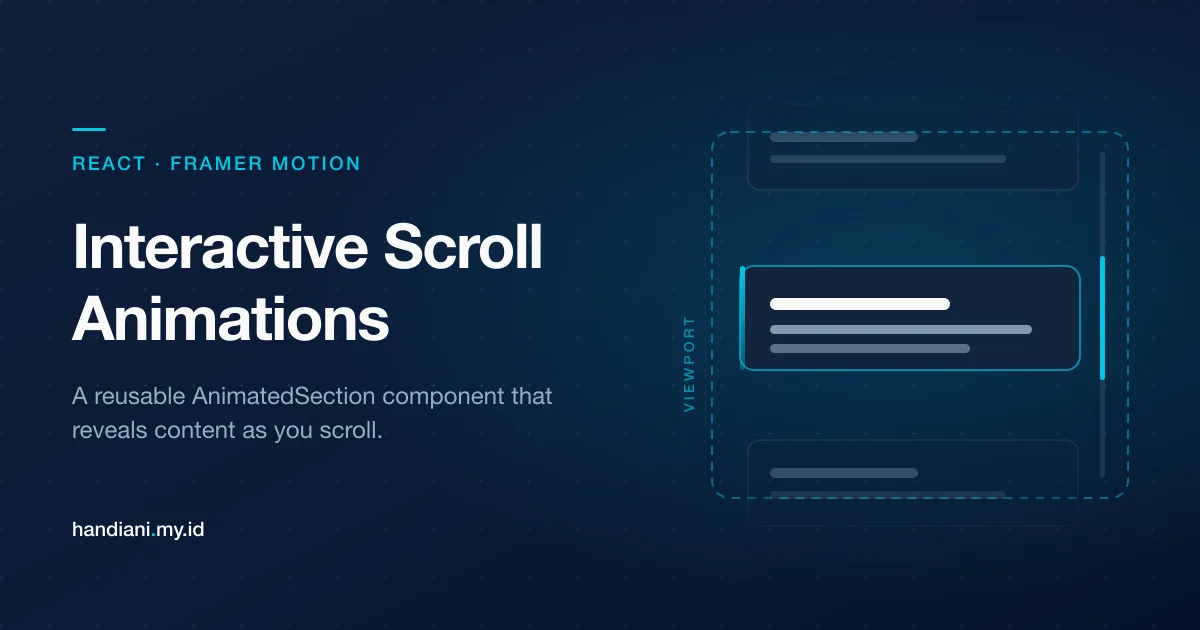
Animations can breathe life into your web applications, enhancing the user experience and making your interfaces more engaging. In this article, we’ll explore a React component called AnimatedSection that leverages Framer Motion to create dynamic scroll-based animations. This component is fully customizable, making it a great addition to your projects.
What Does the AnimatedSection Component Do?
The AnimatedSection component animates its content as it comes into or leaves the viewport based on the user’s scroll direction and position. With the help of Framer Motion and React hooks, it dynamically adjusts its animations to create smooth transitions.
Some features include:
- Scroll Thresholds: Specify how much of the viewport should reveal the animation.
- Scroll Direction Detection: Animations adjust based on whether the user scrolls up or down.
- In-View Animations: Content fades and slides into view when fully visible in the viewport.
The Code Breakdown
Let’s break the code into smaller parts and explain each section for better understanding.
1. Import Statements and Props Definition
import React, { useEffect, useState, useRef, PropsWithChildren } from "react";
import { motion, useAnimation, Variants } from "framer-motion";

interface Props {
  className?: string;
  threshold?: number;
}
Here, we import necessary hooks from React (useEffect, useState, useRef) and Framer Motion (motion, useAnimation, Variants). We define the Props interface to allow optional className and threshold props.
- className: Lets you style the component.
- threshold: Controls when the animations trigger based on viewport height.
2. Component Skeleton and State Variables
const AnimatedSection: React.FC<PropsWithChildren<Props>> = (props) => {
  const { children, className, threshold = 0.25 } = props;

  const controls = useAnimation();
  const sectionRef = useRef<HTMLDivElement | null>(null);

  const [direction, setDirection] = useState<"up" | "down" | null>(null);
  const [position, setPosition] = useState<"top" | "bottom" | null>(null);
  const [isInView, setInView] = useState<boolean>(false);
Here, we define the skeleton of the component and initialize several state variables:
- direction: Tracks whether the user is scrolling up or down.
- position: Indicates whether the section is outside the viewport (top, bottom) or fully visible (null).
- isInView: Tracks whether the section is within the viewport.
3. Scroll Position Detection
const handleScroll = () => {
    const section = sectionRef.current;
    if (!section) return;

    const rect = section.getBoundingClientRect();
    const viewportHeight = window.innerHeight;
    const sectionHeight = section.clientHeight;

    const topThreshold = threshold * viewportHeight;
    const bottomThreshold = (1 - threshold) * viewportHeight;

    if (rect.y + sectionHeight < topThreshold) {
      setPosition("top");
    } else if (rect.y > bottomThreshold) {
      setPosition("bottom");
    } else {
      setPosition(null); // Fully in view
    }

    if (rect.y + sectionHeight > 0 && rect.y < viewportHeight) {
      setInView(true);
    } else setInView(false);
  };
This function uses getBoundingClientRect() to calculate the section’s position relative to the viewport. It updates the position and isInView states based on whether the section is:
- Above the viewport (top)
- Below the viewport (bottom)
- Fully visible (null)
4. Hook to Attach Scroll Listener
useEffect(() => {
    const section = sectionRef.current;

    if (!section) return;

    window.addEventListener("scroll", handleScroll);
    return () => {
      window.removeEventListener("scroll", handleScroll);
    };
  }, []);
This useEffect attaches the handleScroll function to the scroll event and ensures the event listener is removed when the component unmounts.
5. Scroll Direction Detection
useEffect(() => {
    let lastScrollY = window.scrollY;

    const handleScroll = () => {
      const currentScrollY = window.scrollY;

      if (currentScrollY > lastScrollY) {
        setDirection("down");
      } else if (currentScrollY < lastScrollY) {
        setDirection("up");
      }

      lastScrollY = currentScrollY > 0 ? currentScrollY : 0; // Avoid negative scroll values
    };

    window.addEventListener("scroll", handleScroll);
    return () => window.removeEventListener("scroll", handleScroll);
  }, []);
This effect tracks the user’s scroll direction by comparing the current scroll position with the last scroll position.
6. Triggering Animations Based on State
useEffect(() => {
    if (direction === "down" && position === "top") {
      controls.start("scrollingOutTop");
    } else if (direction === "up" && position === "bottom") {
      controls.start("scrollingOutBottom");
    } else {
      if (isInView) controls.start("visible");
    }
  }, [direction, position, isInView, controls]);
This effect triggers the appropriate animation based on the scroll direction, position, and whether the section is isInView.
7. Defining Animation Variants
const variants: Variants = {
    scrollingOutTop: { opacity: 0, y: -100, transition: { duration: 0.5 } },
    scrollingOutBottom: { opacity: 0, y: 100, transition: { duration: 0.5 } },
    visible: { opacity: 1, y: 0, transition: { duration: 0.5 } },
  };
The variants object defines three animation states:
- scrollingOutTop: Fades out and slides up.
- scrollingOutBottom: Fades out and slides down.
- visible: Fades in and slides to its default position.
8. Rendering the Component
return (
    <motion.div
      ref={sectionRef}
      animate={controls}
      initial="visible"
      variants={variants}
      className={className}
    >
      {children}
    </motion.div>
  );
};

export default AnimatedSection;
Finally, the component renders a motion.div from Framer Motion. The animate prop dynamically applies the animation state based on the controls object.
Final Code
import React, { useEffect, useState, useRef, PropsWithChildren } from "react";
import { motion, useAnimation, Variants } from "framer-motion";

interface Props {
  className?: string;
  threshold?: number;
}

const AnimatedSection: React.FC<PropsWithChildren<Props>> = (props) => {
  const { children, className, threshold = 0.25 } = props;

  const controls = useAnimation();
  const sectionRef = useRef<HTMLDivElement | null>(null);

  const [direction, setDirection] = useState<"up" | "down" | null>(null);
  const [position, setPosition] = useState<"top" | "bottom" | null>(null);
  const [isInView, setInView] = useState<boolean>(false);

  const handleScroll = () => {
    const section = sectionRef.current;
    if (!section) return;

    const rect = section.getBoundingClientRect();
    const viewportHeight = window.innerHeight;
    const sectionHeight = section.clientHeight;

    const topThreshold = threshold * viewportHeight;
    const bottomThreshold = (1 - threshold) * viewportHeight;

    if (rect.y + sectionHeight < topThreshold) {
      setPosition("top");
    } else if (rect.y > bottomThreshold) {
      setPosition("bottom");
    } else {
      setPosition(null); // Fully in view
    }

    if (rect.y + sectionHeight > 0 && rect.y < viewportHeight) {
      setInView(true);
    } else setInView(false);
  };

  useEffect(() => {
    const section = sectionRef.current;

    if (!section) return;

    window.addEventListener("scroll", handleScroll);
    return () => {
      window.removeEventListener("scroll", handleScroll);
    };
  }, []);

  useEffect(() => {
    let lastScrollY = window.scrollY;

    const handleScroll = () => {
      const currentScrollY = window.scrollY;

      if (currentScrollY > lastScrollY) {
        setDirection("down");
      } else if (currentScrollY < lastScrollY) {
        setDirection("up");
      }

      lastScrollY = currentScrollY > 0 ? currentScrollY : 0; // Avoid negative scroll values
    };

    window.addEventListener("scroll", handleScroll);
    return () => window.removeEventListener("scroll", handleScroll);
  }, []);

  useEffect(() => {
    if (direction === "down" && position === "top") {
      controls.start("scrollingOutTop");
    } else if (direction === "up" && position === "bottom") {
      controls.start("scrollingOutBottom");
    } else {
      if (isInView) controls.start("visible");
    }
  }, [direction, position, isInView, controls]);

  const variants: Variants = {
    scrollingOutTop: { opacity: 0, y: -100, transition: { duration: 0.5 } },
    scrollingOutBottom: { opacity: 0, y: 100, transition: { duration: 0.5 } },
    visible: { opacity: 1, y: 0, transition: { duration: 0.5 } },
  };

  return (
    <motion.div
      ref={sectionRef}
      animate={controls}
      initial="visible"
      variants={variants}
      className={className}
    >
      {children}
    </motion.div>
  );
};

export default AnimatedSection;
Usage Example
Here’s how you can integrate the AnimatedSection component into your application:
import AnimatedSection from "./AnimatedSection";

const App = () => {
  return (
    <div>
      <AnimatedSection threshold={0.2} className="my-16 p-8 bg-gray-200 rounded-md">
        <h1 className="text-xl font-bold">Hello, World!</h1>
        <p>Scroll to see the animations in action!</p>
      </AnimatedSection>

      <div className="h-[200vh] bg-gradient-to-b from-white to-gray-300"></div>
    </div>
  );
};

export default App;
Final Thoughts
The AnimatedSection component is a powerful tool for adding dynamic, scroll-based animations to your React projects. With its modular design and customizability, it’s an excellent choice for enhancing your UI. Start using it today to captivate your users with smooth, interactive animations!