Membuat Animasi Scroll Interaktif dengan React dan Framer Motion
Komponen AnimatedSection yang bisa dipakai ulang untuk menganimasikan konten saat masuk dan keluar viewport, mengikuti arah dan posisi scroll, dibangun dengan Framer Motion dan React hooks.
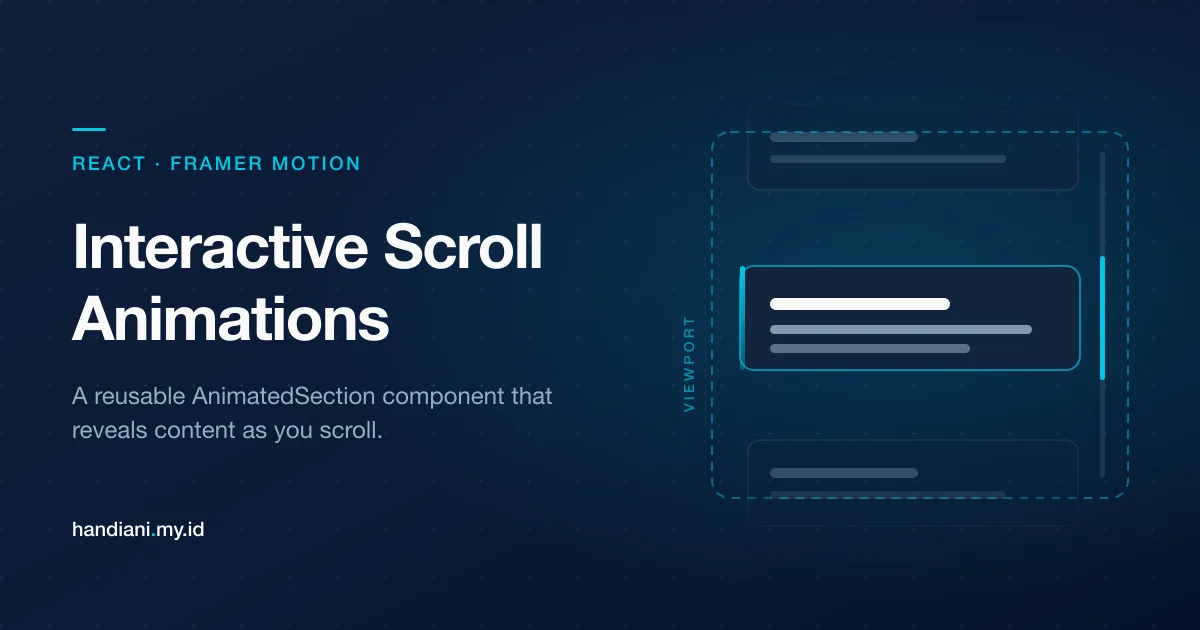
Animasi bisa menghidupkan aplikasi web, memperkaya pengalaman pengguna dan membuat antarmuka terasa lebih menarik. Di artikel ini kita akan membahas sebuah komponen React bernama AnimatedSection yang memanfaatkan Framer Motion untuk membuat animasi dinamis berbasis scroll. Komponen ini sepenuhnya bisa disesuaikan, jadi cocok untuk ditambahkan ke proyek kamu.
Apa yang Dilakukan Komponen AnimatedSection?
Komponen AnimatedSection menganimasikan isinya saat masuk atau keluar dari viewport, mengikuti arah dan posisi scroll pengguna. Dengan bantuan Framer Motion dan React hooks, animasinya menyesuaikan diri secara dinamis untuk menghasilkan transisi yang halus.
Beberapa fiturnya:
- Scroll Thresholds: seberapa banyak bagian viewport yang harus terlihat sebelum animasi dijalankan.
- Scroll Direction Detection: animasi menyesuaikan diri tergantung pengguna menggulir ke atas atau ke bawah.
- In-View Animations: konten memudar dan bergeser masuk saat sepenuhnya terlihat di viewport.
Membedah Kodenya
Mari kita pecah kodenya menjadi bagian-bagian kecil dan jelaskan tiap bagian supaya lebih mudah dipahami.
1. Import dan Definisi Props
import React, { useEffect, useState, useRef, PropsWithChildren } from "react";
import { motion, useAnimation, Variants } from "framer-motion";

interface Props {
  className?: string;
  threshold?: number;
}
Di sini kita mengimpor hooks yang diperlukan dari React (useEffect, useState, useRef) dan dari Framer Motion (motion, useAnimation, Variants). Kita mendefinisikan interface Props agar className dan threshold bersifat opsional.
- className: untuk memberi gaya pada komponen.
- threshold: mengatur kapan animasi dipicu, berdasarkan tinggi viewport.
2. Kerangka Komponen dan Variabel State
const AnimatedSection: React.FC<PropsWithChildren<Props>> = (props) => {
  const { children, className, threshold = 0.25 } = props;

  const controls = useAnimation();
  const sectionRef = useRef<HTMLDivElement | null>(null);

  const [direction, setDirection] = useState<"up" | "down" | null>(null);
  const [position, setPosition] = useState<"top" | "bottom" | null>(null);
  const [isInView, setInView] = useState<boolean>(false);
Di sini kita mendefinisikan kerangka komponennya dan menyiapkan beberapa variabel state:
- direction: melacak apakah pengguna menggulir ke atas atau ke bawah.
- position: menandakan apakah section berada di luar viewport (top, bottom) atau terlihat sepenuhnya (null).
- isInView: melacak apakah section berada di dalam viewport.
3. Mendeteksi Posisi Scroll
const handleScroll = () => {
    const section = sectionRef.current;
    if (!section) return;

    const rect = section.getBoundingClientRect();
    const viewportHeight = window.innerHeight;
    const sectionHeight = section.clientHeight;

    const topThreshold = threshold * viewportHeight;
    const bottomThreshold = (1 - threshold) * viewportHeight;

    if (rect.y + sectionHeight < topThreshold) {
      setPosition("top");
    } else if (rect.y > bottomThreshold) {
      setPosition("bottom");
    } else {
      setPosition(null); // Fully in view
    }

    if (rect.y + sectionHeight > 0 && rect.y < viewportHeight) {
      setInView(true);
    } else setInView(false);
  };
Fungsi ini memakai getBoundingClientRect() untuk menghitung posisi section relatif terhadap viewport. Ia memperbarui state position dan isInView berdasarkan apakah section berada:
- Di atas viewport (top)
- Di bawah viewport (bottom)
- Terlihat sepenuhnya (null)
4. Hook untuk Memasang Scroll Listener
useEffect(() => {
    const section = sectionRef.current;

    if (!section) return;

    window.addEventListener("scroll", handleScroll);
    return () => {
      window.removeEventListener("scroll", handleScroll);
    };
  }, []);
useEffect ini memasang fungsi handleScroll ke event scroll, dan memastikan listener-nya dilepas kembali saat komponen di-unmount.
5. Mendeteksi Arah Scroll
useEffect(() => {
    let lastScrollY = window.scrollY;

    const handleScroll = () => {
      const currentScrollY = window.scrollY;

      if (currentScrollY > lastScrollY) {
        setDirection("down");
      } else if (currentScrollY < lastScrollY) {
        setDirection("up");
      }

      lastScrollY = currentScrollY > 0 ? currentScrollY : 0; // Avoid negative scroll values
    };

    window.addEventListener("scroll", handleScroll);
    return () => window.removeEventListener("scroll", handleScroll);
  }, []);
Effect ini melacak arah scroll pengguna dengan membandingkan posisi scroll saat ini terhadap posisi scroll sebelumnya.
6. Memicu Animasi Berdasarkan State
useEffect(() => {
    if (direction === "down" && position === "top") {
      controls.start("scrollingOutTop");
    } else if (direction === "up" && position === "bottom") {
      controls.start("scrollingOutBottom");
    } else {
      if (isInView) controls.start("visible");
    }
  }, [direction, position, isInView, controls]);
Effect ini memicu animasi yang sesuai berdasarkan arah scroll, posisi, dan apakah section sedang isInView.
7. Mendefinisikan Variants Animasi
const variants: Variants = {
    scrollingOutTop: { opacity: 0, y: -100, transition: { duration: 0.5 } },
    scrollingOutBottom: { opacity: 0, y: 100, transition: { duration: 0.5 } },
    visible: { opacity: 1, y: 0, transition: { duration: 0.5 } },
  };
Objek variants mendefinisikan tiga keadaan animasi:
- scrollingOutTop: memudar keluar dan bergeser ke atas.
- scrollingOutBottom: memudar keluar dan bergeser ke bawah.
- visible: memudar masuk dan bergeser ke posisi semula.
8. Merender Komponennya
return (
    <motion.div
      ref={sectionRef}
      animate={controls}
      initial="visible"
      variants={variants}
      className={className}
    >
      {children}
    </motion.div>
  );
};

export default AnimatedSection;
Terakhir, komponen ini merender sebuah motion.div dari Framer Motion. Prop animate menerapkan keadaan animasi secara dinamis berdasarkan objek controls.
Kode Lengkap
import React, { useEffect, useState, useRef, PropsWithChildren } from "react";
import { motion, useAnimation, Variants } from "framer-motion";

interface Props {
  className?: string;
  threshold?: number;
}

const AnimatedSection: React.FC<PropsWithChildren<Props>> = (props) => {
  const { children, className, threshold = 0.25 } = props;

  const controls = useAnimation();
  const sectionRef = useRef<HTMLDivElement | null>(null);

  const [direction, setDirection] = useState<"up" | "down" | null>(null);
  const [position, setPosition] = useState<"top" | "bottom" | null>(null);
  const [isInView, setInView] = useState<boolean>(false);

  const handleScroll = () => {
    const section = sectionRef.current;
    if (!section) return;

    const rect = section.getBoundingClientRect();
    const viewportHeight = window.innerHeight;
    const sectionHeight = section.clientHeight;

    const topThreshold = threshold * viewportHeight;
    const bottomThreshold = (1 - threshold) * viewportHeight;

    if (rect.y + sectionHeight < topThreshold) {
      setPosition("top");
    } else if (rect.y > bottomThreshold) {
      setPosition("bottom");
    } else {
      setPosition(null); // Fully in view
    }

    if (rect.y + sectionHeight > 0 && rect.y < viewportHeight) {
      setInView(true);
    } else setInView(false);
  };

  useEffect(() => {
    const section = sectionRef.current;

    if (!section) return;

    window.addEventListener("scroll", handleScroll);
    return () => {
      window.removeEventListener("scroll", handleScroll);
    };
  }, []);

  useEffect(() => {
    let lastScrollY = window.scrollY;

    const handleScroll = () => {
      const currentScrollY = window.scrollY;

      if (currentScrollY > lastScrollY) {
        setDirection("down");
      } else if (currentScrollY < lastScrollY) {
        setDirection("up");
      }

      lastScrollY = currentScrollY > 0 ? currentScrollY : 0; // Avoid negative scroll values
    };

    window.addEventListener("scroll", handleScroll);
    return () => window.removeEventListener("scroll", handleScroll);
  }, []);

  useEffect(() => {
    if (direction === "down" && position === "top") {
      controls.start("scrollingOutTop");
    } else if (direction === "up" && position === "bottom") {
      controls.start("scrollingOutBottom");
    } else {
      if (isInView) controls.start("visible");
    }
  }, [direction, position, isInView, controls]);

  const variants: Variants = {
    scrollingOutTop: { opacity: 0, y: -100, transition: { duration: 0.5 } },
    scrollingOutBottom: { opacity: 0, y: 100, transition: { duration: 0.5 } },
    visible: { opacity: 1, y: 0, transition: { duration: 0.5 } },
  };

  return (
    <motion.div
      ref={sectionRef}
      animate={controls}
      initial="visible"
      variants={variants}
      className={className}
    >
      {children}
    </motion.div>
  );
};

export default AnimatedSection;
Contoh Pemakaian
Berikut cara mengintegrasikan komponen AnimatedSection ke dalam aplikasi kamu:
import AnimatedSection from "./AnimatedSection";

const App = () => {
  return (
    <div>
      <AnimatedSection threshold={0.2} className="my-16 p-8 bg-gray-200 rounded-md">
        <h1 className="text-xl font-bold">Hello, World!</h1>
        <p>Scroll to see the animations in action!</p>
      </AnimatedSection>

      <div className="h-[200vh] bg-gradient-to-b from-white to-gray-300"></div>
    </div>
  );
};

export default App;
Penutup
Komponen AnimatedSection adalah alat yang ampuh untuk menambahkan animasi dinamis berbasis scroll ke proyek React kamu. Dengan desainnya yang modular dan mudah disesuaikan, ia jadi pilihan yang bagus untuk memperkaya UI. Mulai pakai sekarang dan buat pengunjungmu terpikat dengan animasi yang halus dan interaktif!